
Your 4G/5G backup
probably does not protect you.
Almost everyone sells one. Almost nobody has seen it switch over for real. Here is what breaks at the moment of switchover — and the test protocol that will tell you in one morning.
Published on 4 August 2026 · 6 min read · by the SkyNet technical team
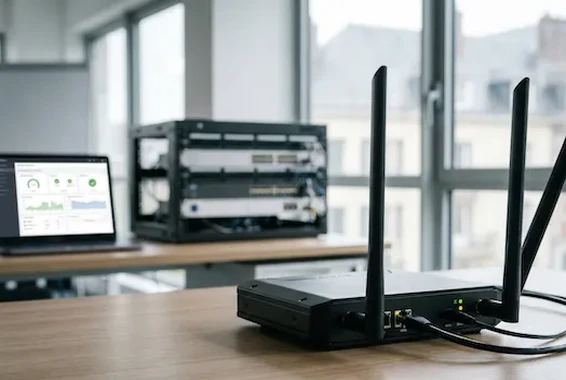 The backup unit
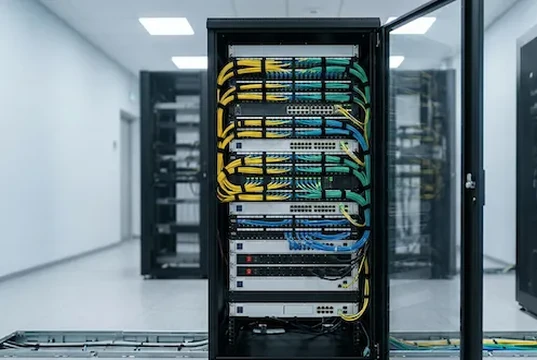 The main link
Tuesday, 12:04.
The fibre goes down. Nobody knows: the WiFi is working, the screens are on. Thirty seconds later, the router switches over to its mobile connection on its own. Green light. Exactly as on the quote.
At 12:06, a customer presents her card. The terminal displays “connection impossible”. The switchboard no longer rings. The till software, hosted at head office, is not responding either.
The backup worked. It is everything else that went down. It is neither rare nor a hardware fault: it is what happens when you buy a backup without having written down what it was supposed to save.
A backup that has never switched over
is not a backup.
It is a line on a quote. Until someone has actually unplugged the fibre, stopwatch in hand, you do not know what survives: you are hoping.
Three things break
at the moment of the switchover.
The switchover waits for a hand
Many installations call for a manual step: restarting the box, switching WiFi network, plugging in a cable. On a Tuesday at midday, someone will do it. On a Sunday at 20:30, no. A backup that depends on someone being there only covers working hours.
The detection looks in the wrong place
A router that only watches “is the port lit?” will not see an upstream failure: the light is still there, but nothing is moving any more. The only detection worth having continuously queries an external address and switches over when the answer stops.
The address changes, and everything follows it
On fibre you generally have a fixed IP address (the public number by which the Internet recognises you). On mobile you inherit an operator address, which changes and is often shared. Everything that was hooked onto the old one lets go.
And speed is not speed. A mobile connection shares the capacity of the mast with everyone underneath it: the advertised figure is a theoretical maximum, never a commitment. The backup only holds up if you have decided in advance what is allowed through. Otherwise, the first automatic backup drowns the till and the telephony.
The internet comes back.
Your tools, no.
- Telephony. The operator link that carries your calls is often authorised per address: it refuses registration, and your numbers stop ringing.
- The site-to-site VPN (an encrypted tunnel between two offices) set up on a fixed address does not come back on its own.
- Everything that reached you from outside — remote maintenance, cameras, published server — becomes unreachable.
- Portals that filter by address : the bank, the supplier’s back office. They shut the door on you.
This can be sorted out: the backup can carry your addresses, whatever the medium. It is neither automatic nor free — and it has to be asked for in writing.
Unplug the fibre,
on a Tuesday at 10:00
Not on a Friday evening, not in the middle of a month-end close. Warn the teams, and do it for real.
- Write the list first. What has to survive, service by service. After the outage, the list writes itself — and too late.
- Unplug the link, not the router. Switching off the equipment does not reproduce an operator outage.
- Time it. The time of the cut, then the time each service comes back. A known delay can be managed; an unknown one is simply endured.
- Go through the list for real. An incoming call from an outside mobile, a transaction on the terminal, the business software, a camera.
- Let it run for half an hour, with people working. A switchover that holds for two minutes has proved nothing.
- Look at what you get back. Coming back onto the fibre is a second switchover. It breaks just as well as the first.
What you do not test, you will discover on the day it matters.
We see the outage,
often before you do.
We run your links under our own operator identifier. Monitoring does not stop at the router’s status light: it looks at what actually flows.
What a mobile backup covers,
and what it will never cover.
| The outage | Mobile backup |
|---|---|
| Fibre cut in the street | Covered |
| Outage on your fixed operator’s network | Covered |
| Power cut in the building | Not covered — without a UPS, the box switches off with everything else |
| Internal failure: dead switch, cable pulled out | Not covered — the problem is behind the router |
| The service you are calling is down (head office, hosting provider, bank) | Not covered |
| Weak mobile coverage at the address | Not covered — this is measured on site, not on a map |
What we do not promise. We guarantee no speed on a mobile connection: nobody honestly can. What we do write down is what survives and what does not — service by service, before signing.
Five questions that make the masks fall.
- What does fault detection look at: the state of the port, or a probe to the outside?
- How many seconds does the switchover take to become effective, and what goes down in the meantime?
- Are my IP addresses kept on the backup? If not, which services stop — name them.
- What happens when the backup’s data allowance is used up?
- Who triggers the annual test, and who writes it up?
What we install, and what we operate.

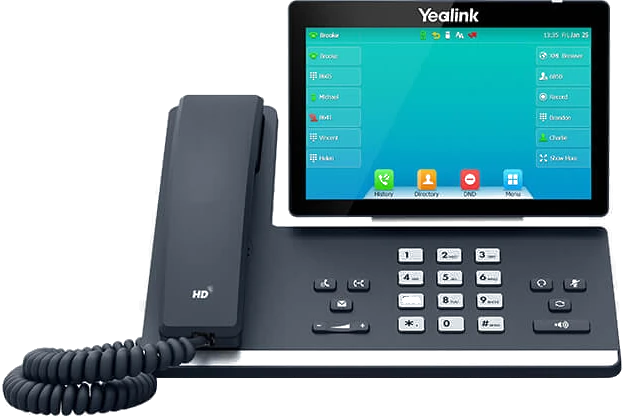
What to remember
- A backup that has never been switched over in real conditions is a hypothesis, not a protection.
- The switchover must be automatic and triggered by an end-to-end test, not by the state of a port.
- Without the IP addresses being kept, telephony, VPNs and remote access go down even though the internet is back.
- Backup speed does not share itself out: decide in advance what is allowed through.
- A mobile backup covers neither a power cut, nor a fault behind your router, nor a fault at the place you are calling.
Switch your backup over in front of us
Send us the diagram of your installation and the list of what has to hold up. We come and unplug the link, stopwatch in hand, and give you back a written report: what survived, what went down, and how long it took. Arcep operator identifier: SKBS.